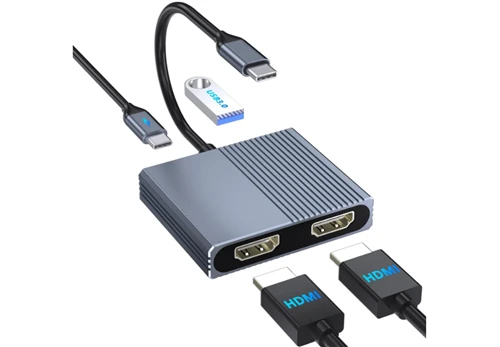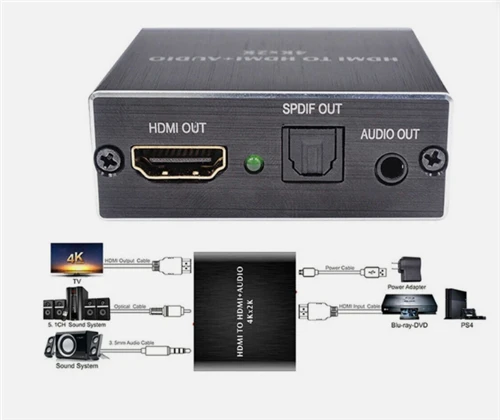

When selecting a high-quality HDMI split-screen switch, a comprehensive assessment is needed, considering requirements, performance parameters, features, and brand reputation. Specifically, consider the following:
1. Define the Usage Scenarios and Split-Screen Type
If multiple screens need to display the same content (e.g., conference presentations, advertising displays), choose an HDMI splitter (e.g., 1 input 2 outputs, 1 input 4 outputs) to ensure synchronized signal transmission. If different content needs to be displayed independently (e.g., multitasking, game split-screen), choose an HDMI switcher or matrix splitter that supports multiple inputs. For example, a 1 input 2 outputs splitter is suitable for simple scenarios, while a 4 input 4 outputs matrix splitter can meet complex multi-screen interaction needs.
2. Pay Attention to Resolution and Refresh Rate
The resolution and refresh rate of the split-screen switch directly affect image quality. If using a 4K monitor, choose a splitter that supports 4K 60Hz (such as an HDMI 2.0 interface) to avoid stuttering or blurring. For even higher image quality, consider a splitter with an HDMI 2.1 interface, supporting 8K 60Hz or 4K 120Hz, suitable for gaming or high-definition video.
3. Interface Type and Bandwidth
HDMI 2.0: Supports 4K 60Hz, 18Gbps bandwidth, suitable for mainstream 4K devices.
HDMI 2.1: Supports 8K 60Hz or 4K 120Hz, 48Gbps bandwidth, suitable for high-end devices. Choose a splitter that matches your device's interface to avoid image quality loss due to insufficient bandwidth. For example, when connecting a PS5 or RTX 40 series graphics card, an HDMI 2.1 splitter can fully utilize its performance.
4. Matching Functionality and Features
Audio-Video Synchronization: Choose a splitter that supports HDR, Dolby Vision, and other technologies to ensure synchronized video and audio.
Multiple Input/Output: If you need to connect multiple devices (such as computers, game consoles, set-top boxes), choose a splitter that supports multiple inputs.
Wireless Projection: Some splitters support Wi-Fi or Bluetooth projection, suitable for mobile device connections.
Next-Gen Audio: If you need to transmit Dolby Atmos or other audio effects, confirm whether the splitter supports them.
5. Brand and Quality Assurance
Prioritize well-known brands, as their products offer better guarantees in terms of stability, compatibility, and after-sales service.
6. Refer to User Reviews and Tests
Check other users' actual usage feedback through e-commerce platforms and professional forums (such as Zhihu and Bilibili), focusing on issues such as screen latency, overheating, and compatibility.